Introduction to Diamond Hands
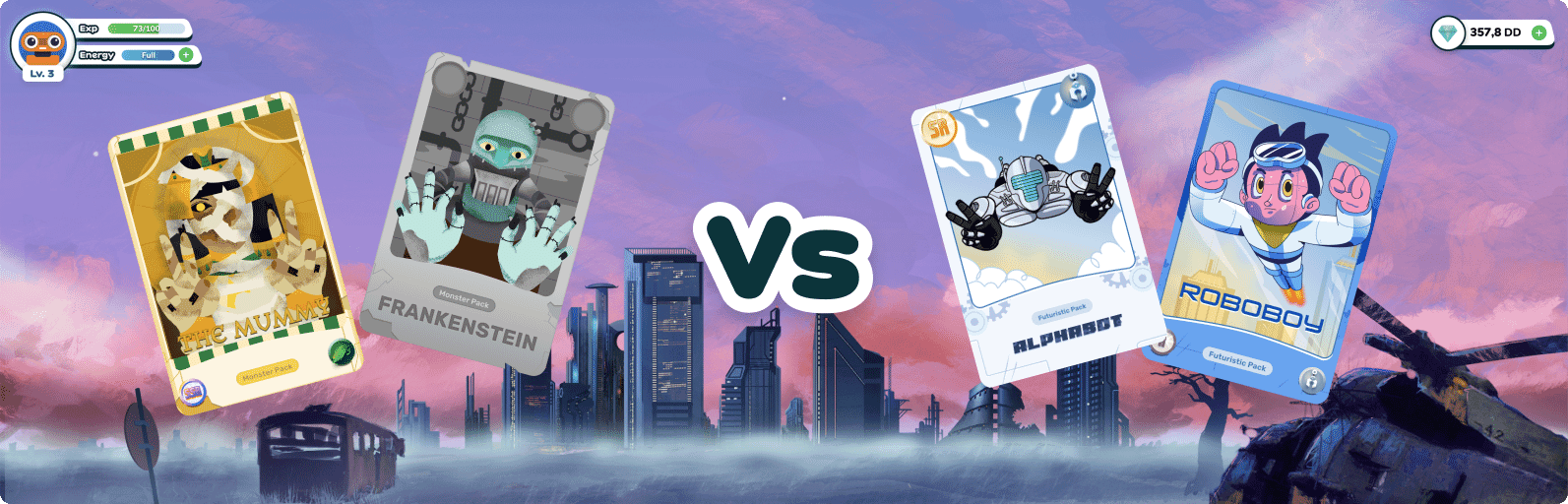
Begin your journey in Diamond Hands
A few step to get you started:
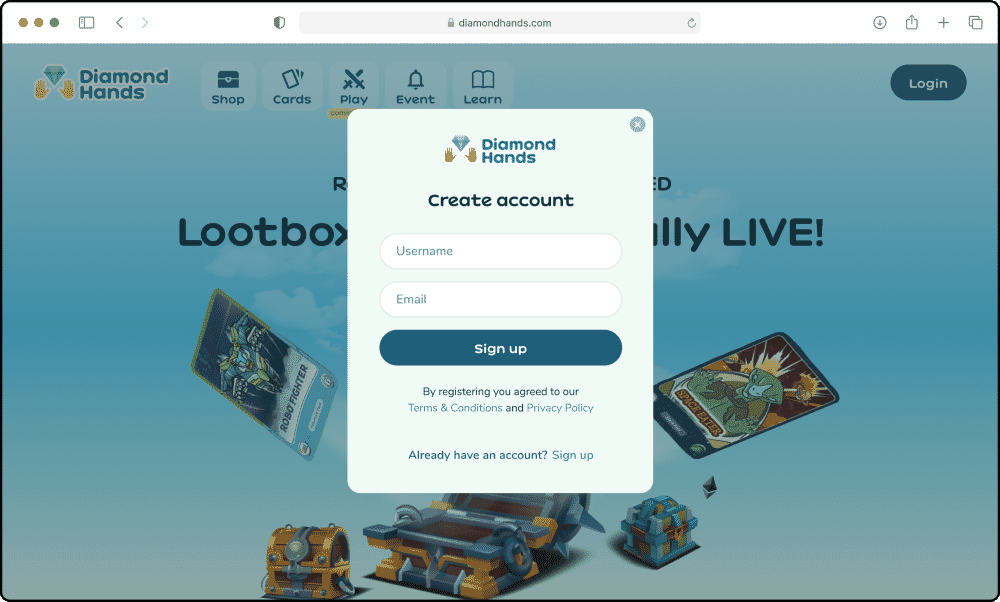
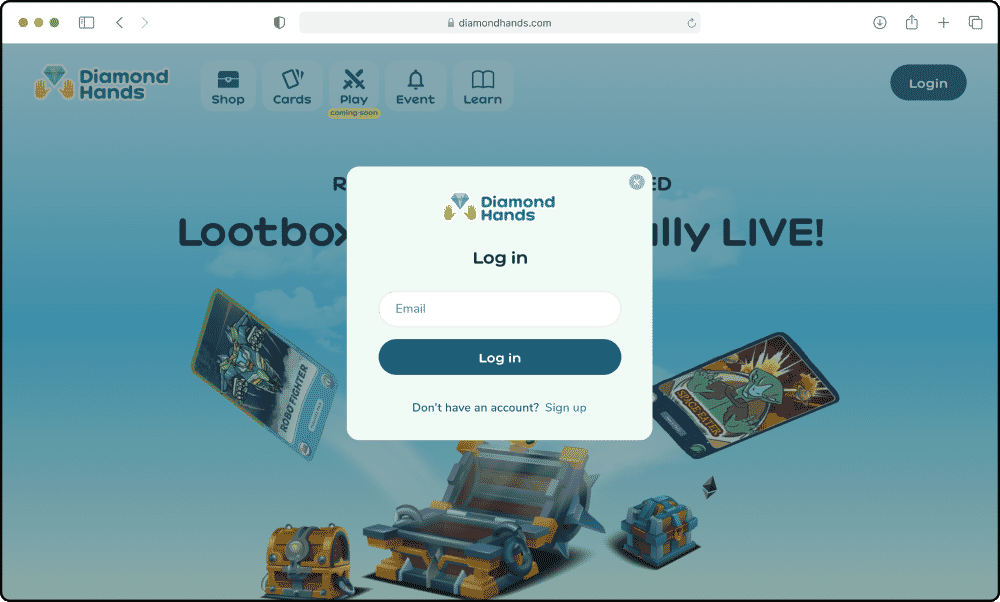
- Hit the ”Log In” button on the top menu. If you don't have any account, create one by clicking “Sign Up”.
- Create a unique username and your e-email.
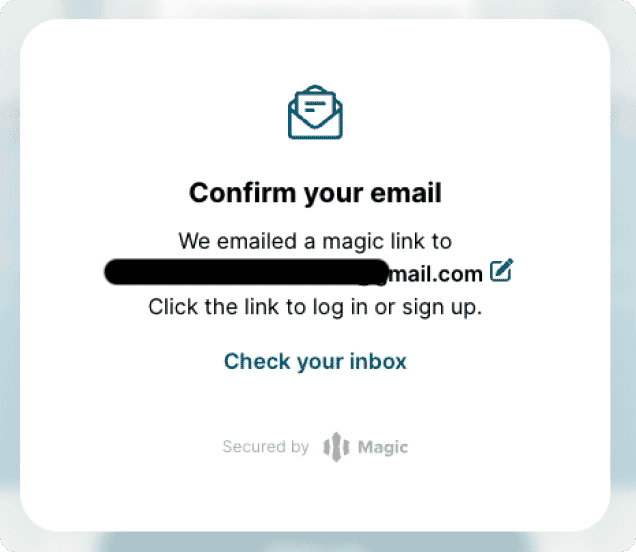
- We will send you a confirmation link right to your registered e-mail.
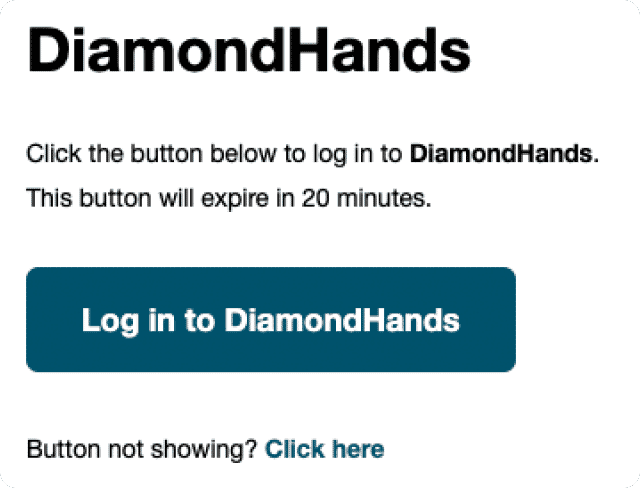
- You’ll find “Log in to Diamond Hands” in your inbox, click the button to log in.
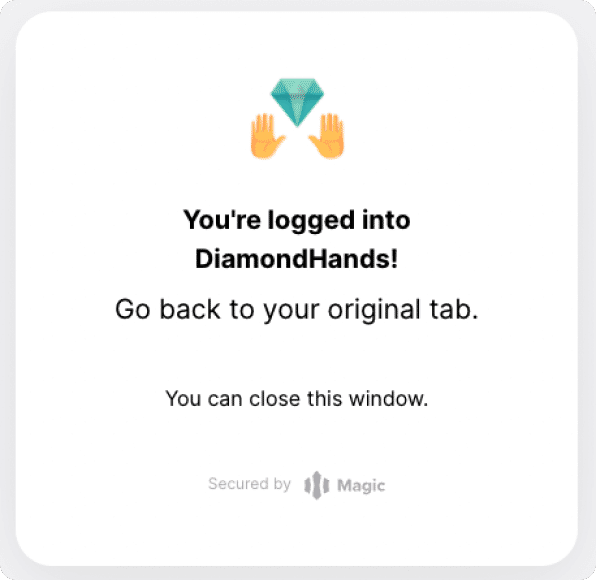
- After you see this success page, go back to your previous app.diamondhands.com tab and you’re successfully logged in.
- Now, to complete your experience and begin your journey, You can obtain an NFT card buy purchasing a lootbox. Simply access the “Shop” from the top menu.
Diamond Hands Lootbox
We sell 9,800 Loot-boxes in our Pre-sale period. Each Loot-box contain $DD and NFT Cards.
We have 5 tiers Loot-boxes that differ in quantity and rarity of the NFT Cards and DD Token inside:
Alpha Box = 2 Cards + 950 DD
Beta Box = 2 Cards + 2,000 DD
Theta Box = 3 Cards + 3,500 DD
Sigma Box = 3 Cards + 5,400 DD
Omega Box= 3 Cards + 10,000 DD
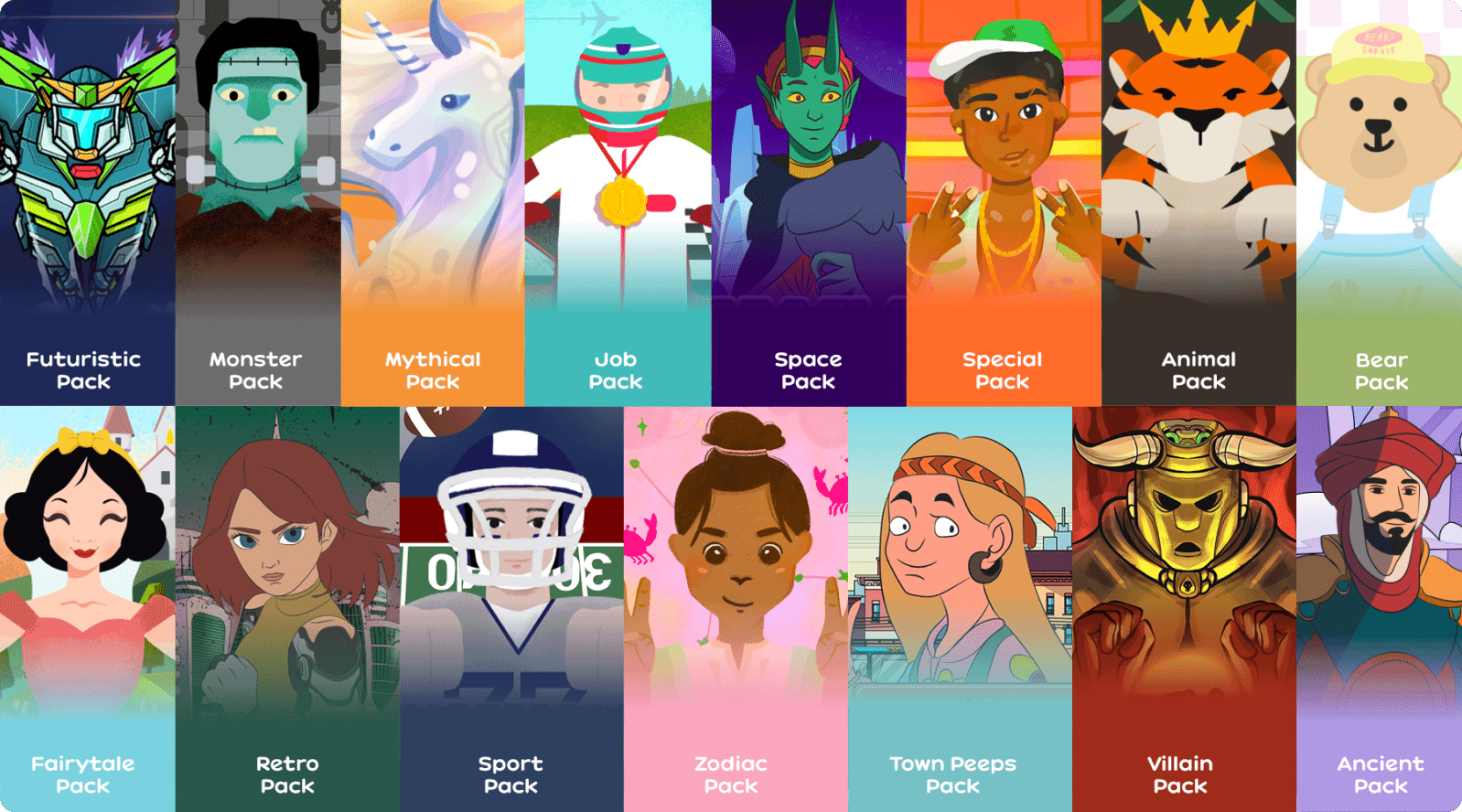
Card Packs
Explore our library of packs!
We now have 15 NFT Packs inside our lootbox. Buy, Collect & Battle! More to packs to come!
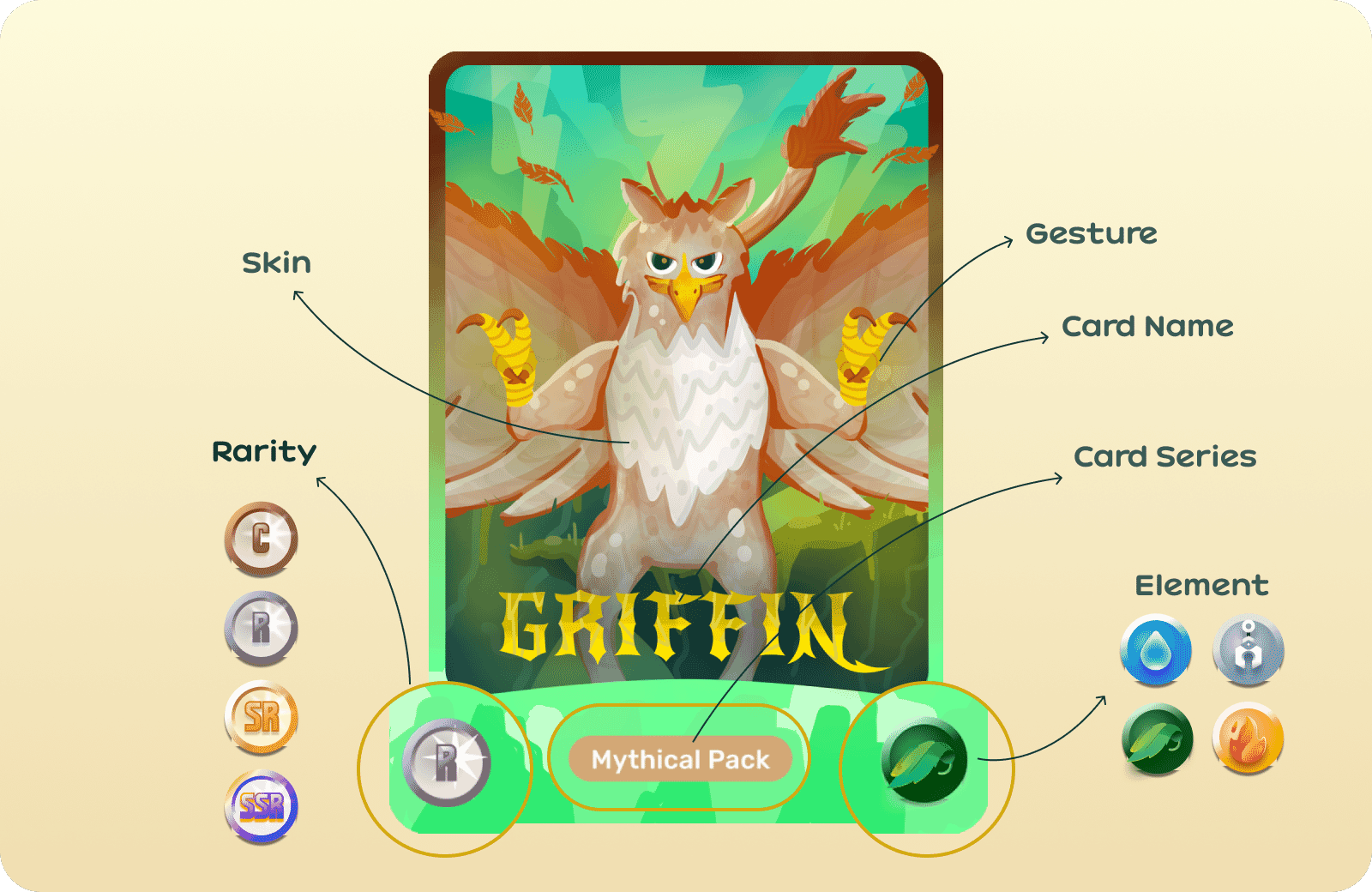
Card Properties

Get yours now!
Check out the entire Diamond Hands NFT cards collection!
How to Buy Lootbox
- Go to our Shop and choose the Lootbox you are going to buy.
- You can buy the lootbox using credit / debit card or your Diamond Hands Wallet. Make sure you have enough USDC & MATIC to buy lootbox with the Diamond Hands wallet.
Buy with card (credit & debit)
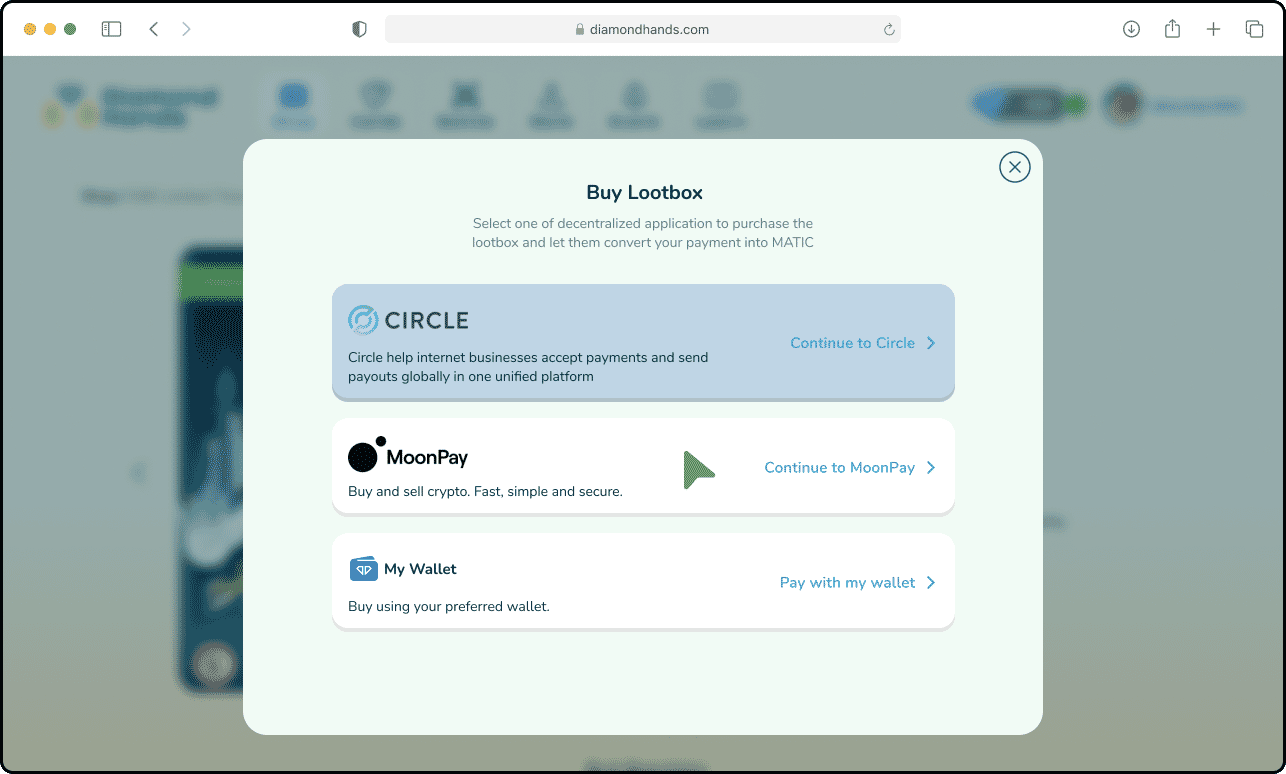
- Hit “Buy Now” button on the card page and choose Moonpay.
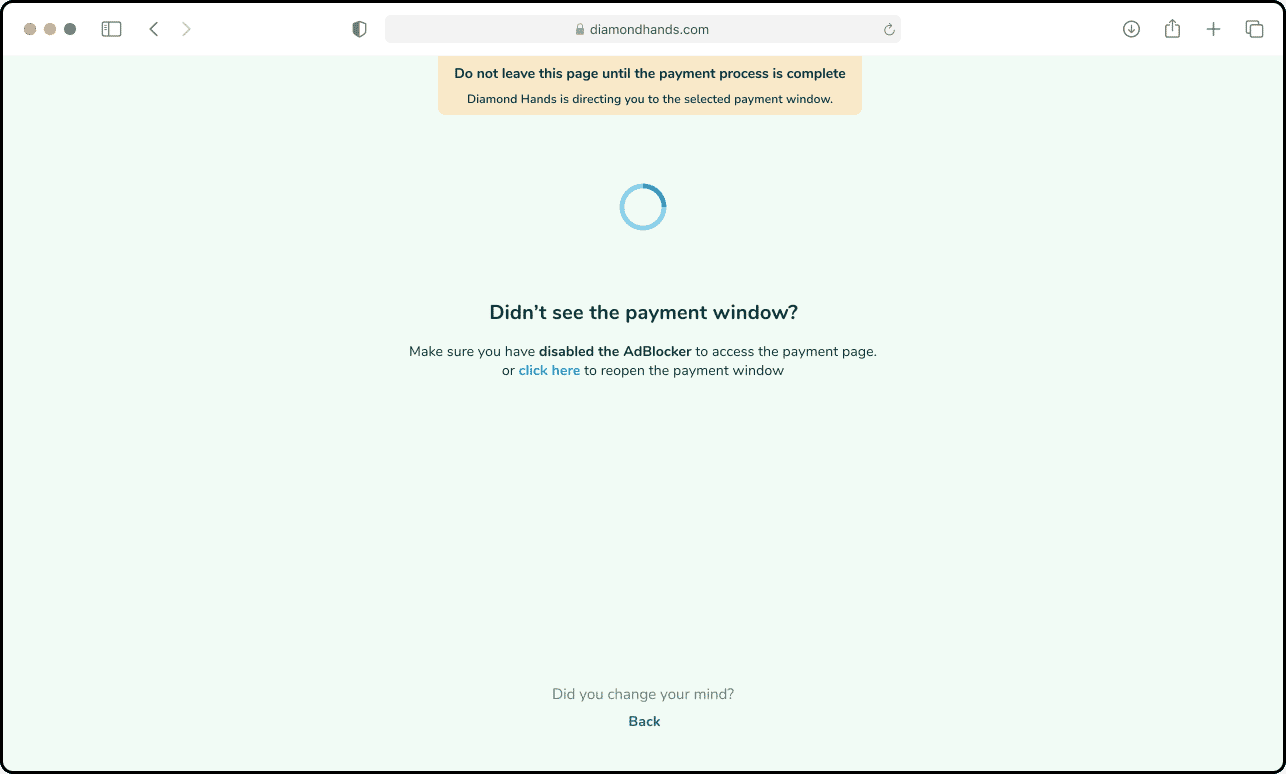
- We will redirect you to the Moonpay payment window. Please don’t close the original Diamond Hands window. Fill in all the payment forms and enter your info as it appers on your card. If you are using the debit card, make sure your card can make online payment.
- The lootbox will open as soon as you are done with the payment. If not, please check your e-mail or inbox to open the lootbox.
Buy with wallet
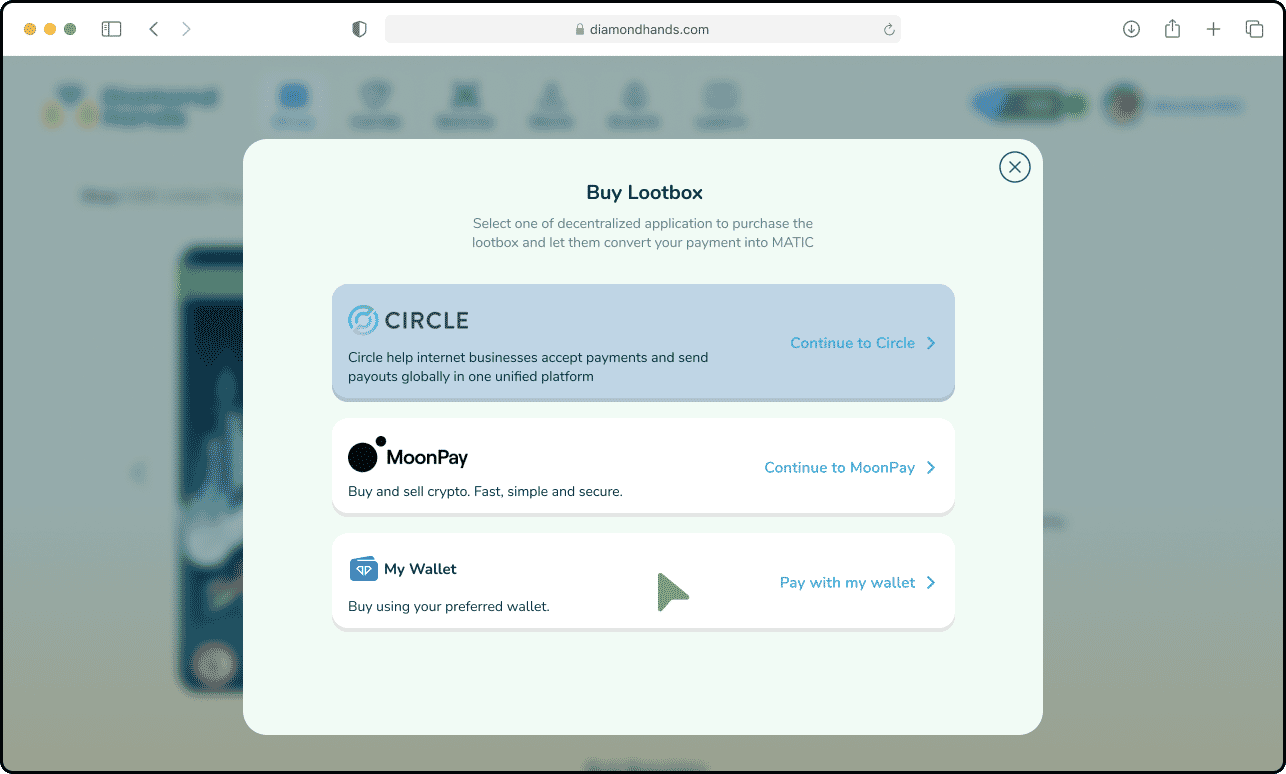
- Hit “Buy Now” button on the card page and choose My Wallet
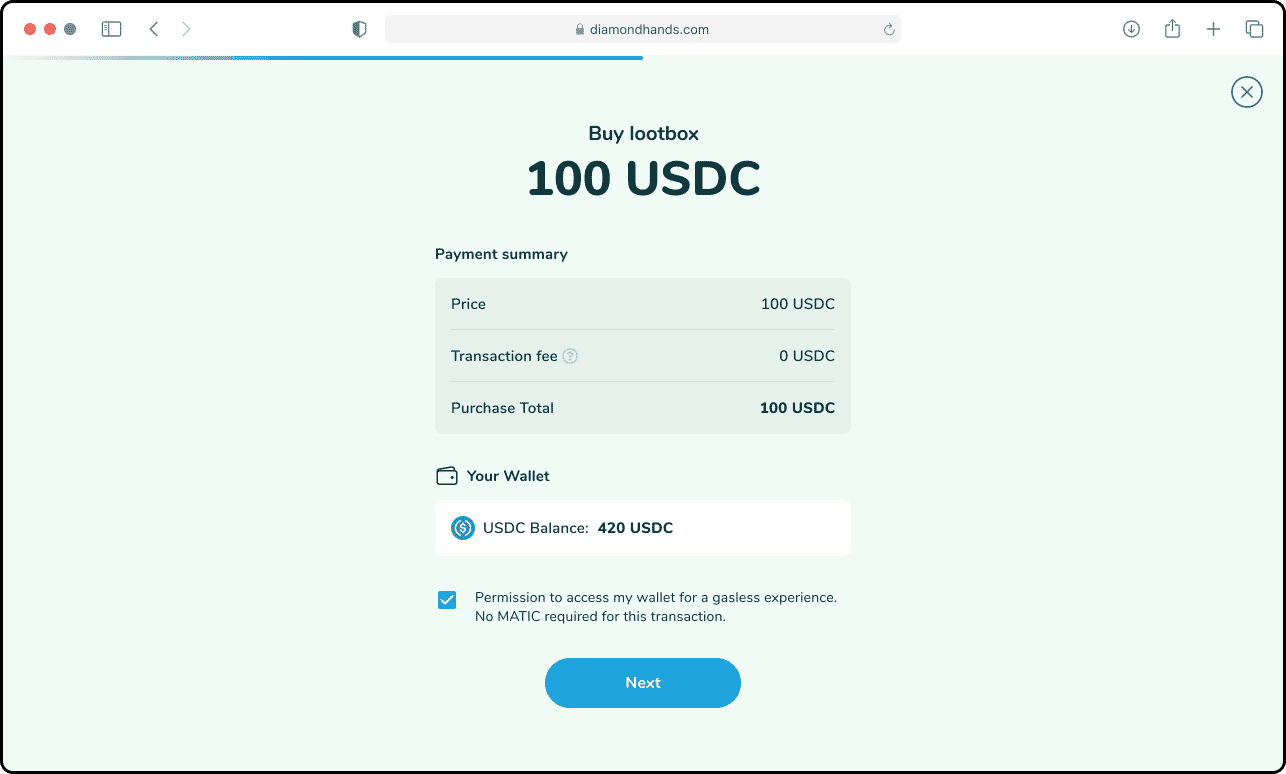
- You will get the payment summary just like this. For a gasless experience, we need to access your wallet, it’s secured. Otherwise, you need to pay certain amount of gas fee with MATIC if you uncheck the permission below the payment summary.
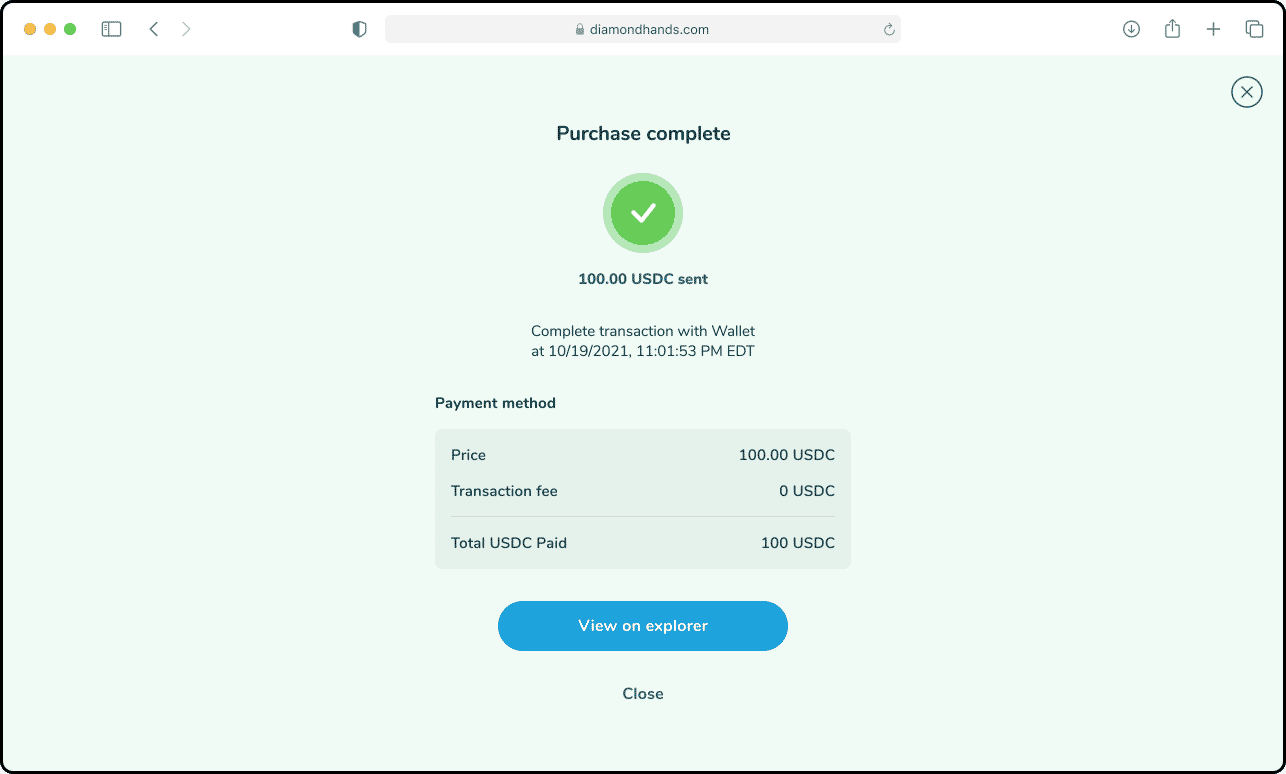
- You need USDC to complete the purchase. If you run out of USDC you can read how to top it up here. Your screen should look like this once the payment is complete. Close this screen and you’ll receive the receipt on your inbox as well as the NFT cards & DD coin from the lootbox.
Diamond Hands Wallet
How to use your wallet
The Diamond Hands wallet is powered by the Matic Network (Polygon), which is a decentralized platform that provides faster and gas-less transactions with the security and safety of the blockchain. The Matic Network is one of the world’s leading and most trusted ethereum Layer 2 solutions that substantially improves the user experience in Diamond Hands.
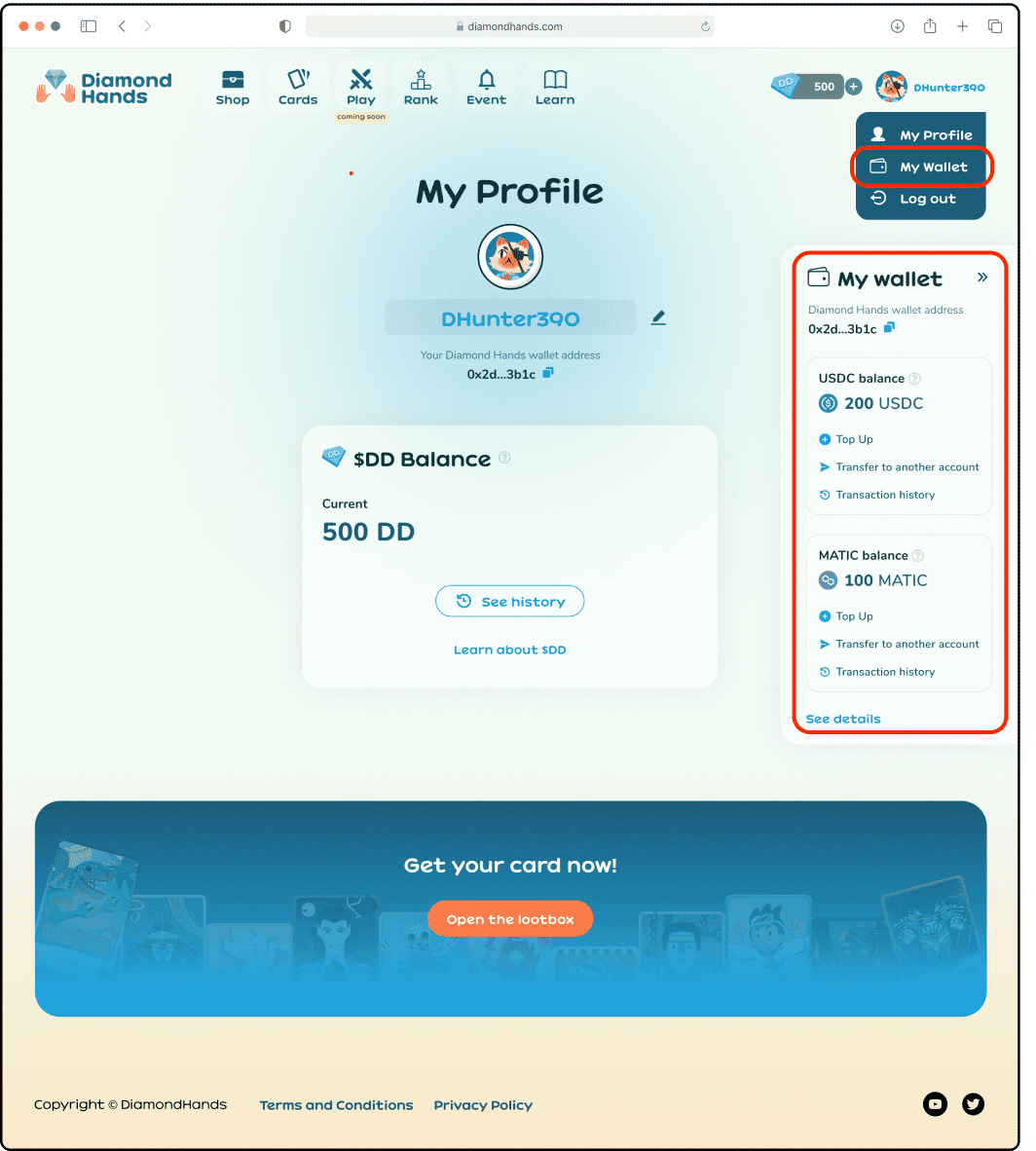
You can access your wallet through My Profile’s dropdown or from the wallet icon on the right of your screen.
About DD Coin
Diamond Dollars - DD 
Diamond Dollars (DD) are an ERC-20 governance token for Diamond Hands. $DD is the currency used for placing wagers in game. The standard means this kind of token will always hold same value (e.g 10 DD will always equal 10 DD) and we can also transact them in fraction (e.g. transfer 0.0000123 DD). We're currently using 18 decimal points like majority of ERC-20 Tokens, it means 1 DD is actually 1 x 10^18 digits.
You can use DD Token for the following in-game activities:
- To place wagers in game, as core play-to-earn mechanism.
- To reward users from Leaderboard and any other events.
- DD is minted for each Daily quest completed.
- To purchase Energy, so users can continue playing.
Learn more about DD in our Token page.
How to Transfer DD to Polygon Wallet
Right now DD is still in the process to get listed officially. In order to see DD balance in your preferred Polygon wallet follow these steps:, please import this token address:
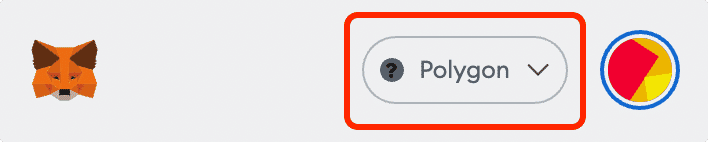
Make sure your Metamask wallet or your preferred Polygon wallet is in the POLYGON chain
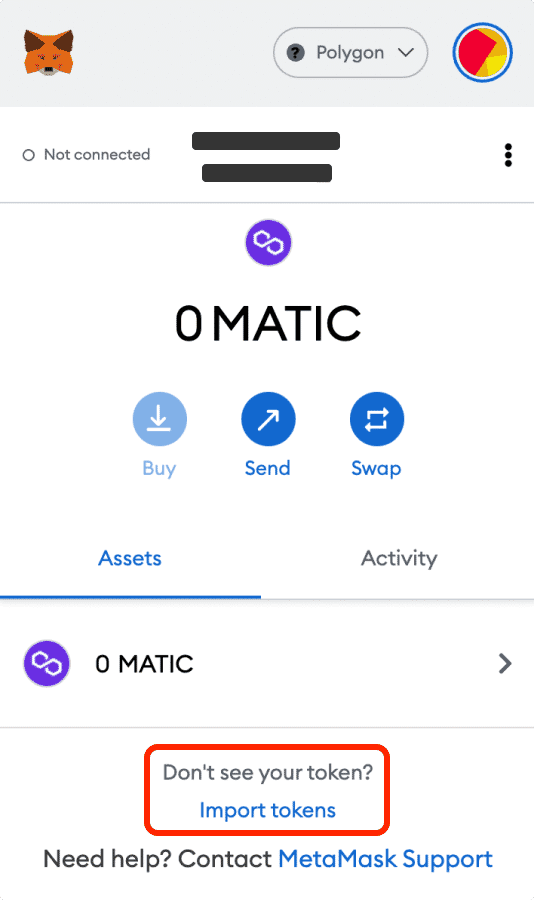
Click Import Token and paste this token address
0xa1261CC2D40c6533E7FC09FBE5aA1E70D45FBD5a

Make sure all of the information matched the following parameter:
Token Symbol: DD
Token Decimal: 18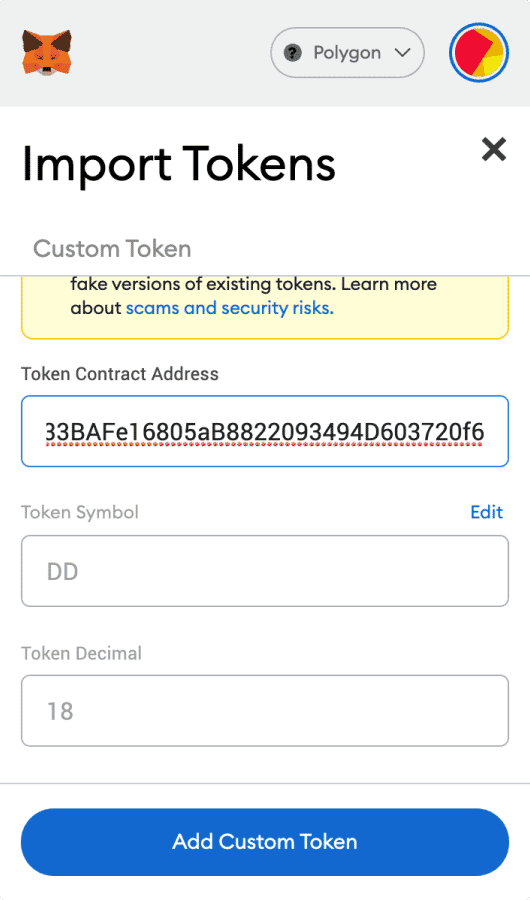
- Click Add Custom Token, and DD Token should be appear on your Metamask.
About USDC
What is USDC
Besides DD as our own currency token, we're using USD Coin (USDC) as its pair token. USDC is one of the few stablecoin that you wil be able to find on the crypto market.
We used USDC for the following activities:
- Pairing DD and USDC on DEX when adding the Liquidity Pool to swap (cash in).
- Enabling users to cash out their earning in USDC for a more stable exchange rate.
- Making it as the main currency to trade (sell and buy) on NFT Marketplace.
- Receiving money from Loot-box pre-sale in USDC, directly to admin wallets.
How to get USDC (Polygon)
You can purchase USDC from off/on ramp provider like Moon Pay, Wyre, or Carbon with debit or credit card. Just simply put your Diamond Hands Wallet Address, you can copied it from My Profile.
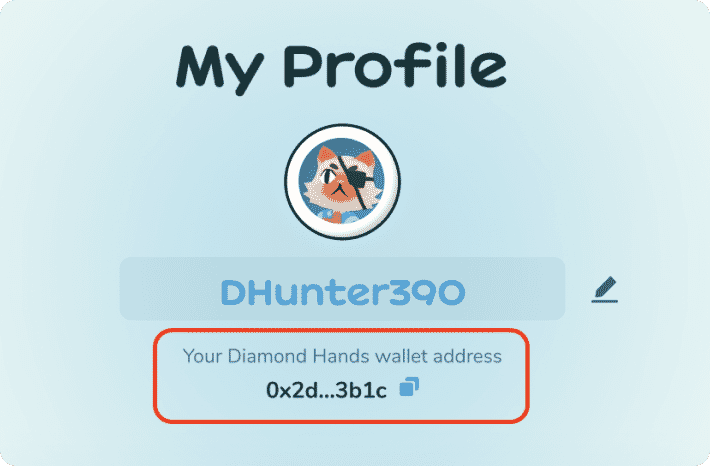
Make sure that you are using the correct wallet address. and choose USDC Polygon because our wallet is powered by the Matic Network.
Right now, you can’t transfer your USDC or top up the USDC from Diamond Hands, but you can always do it on another provider.
How To Swap USDC to DD
Uniswap
Uniswap is an Ethereum-based decentralized exchange (DEX) that allows anyone to swap ERC20 tokens. Follow these steps to add DD token on your wallet;
- Open https://app.uniswap.org/#/swap?chain=polygon and connect your Metamask wallet to Polygon mainnet.
Select the USDC as the token you wish to trade to DD.
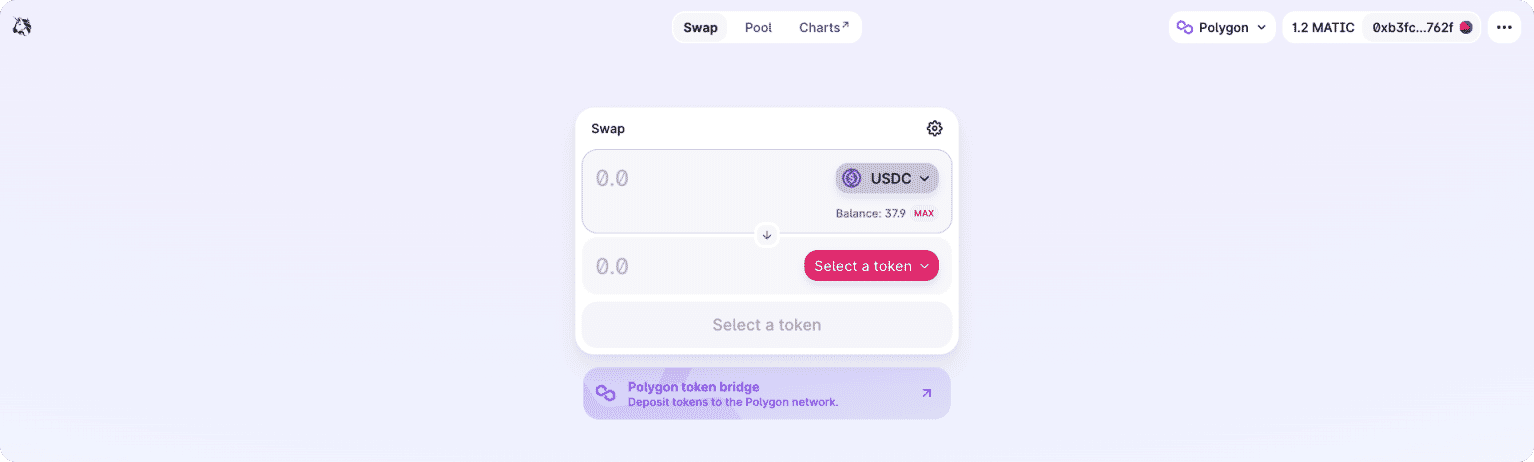
Import DD token manually as the token you wish to receive.
Paste the address:
0xa1261CC2D40c6533E7FC09FBE5aA1E70D45FBD5a
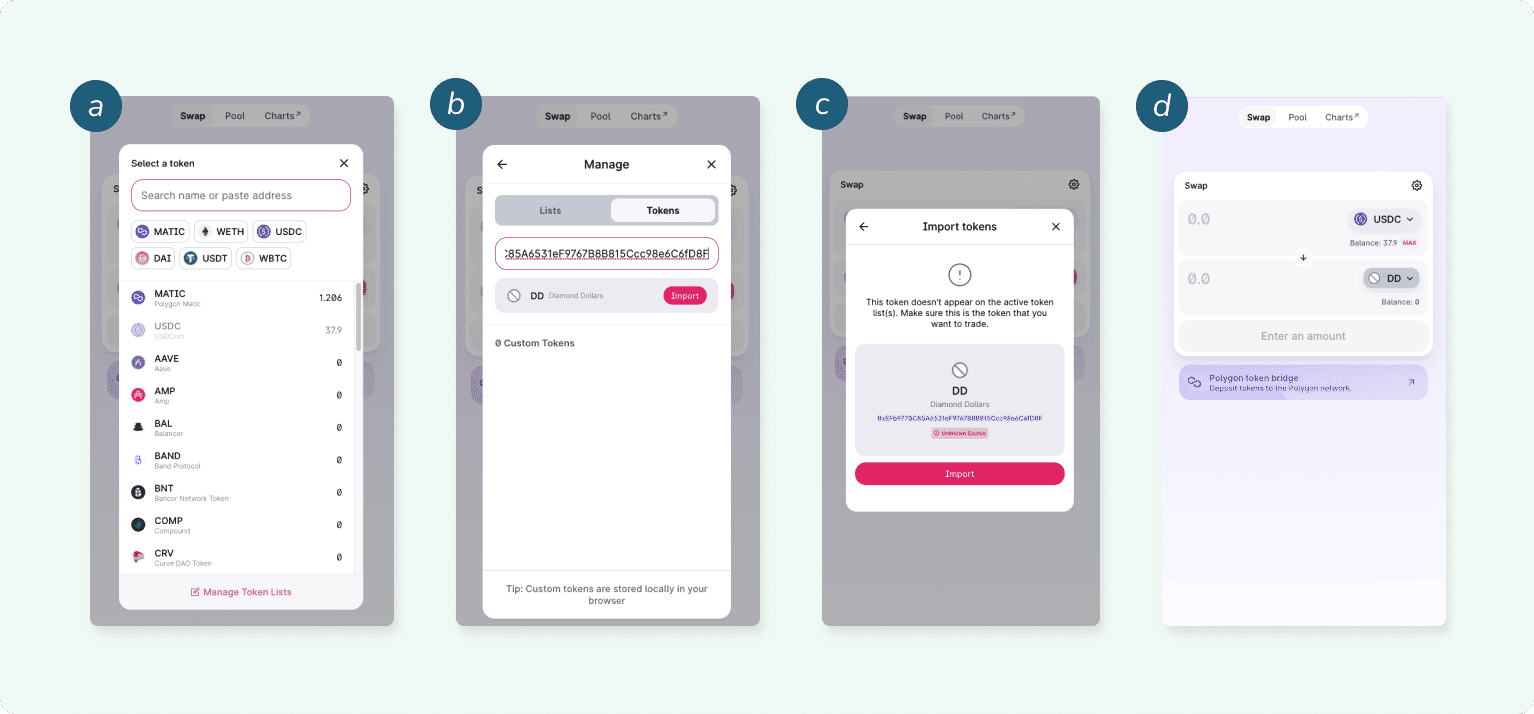
Next, enter the amount that you wish to trade. You can enter either your desired input amount or output amount. Then approved USDC transaction on metamask wallet.
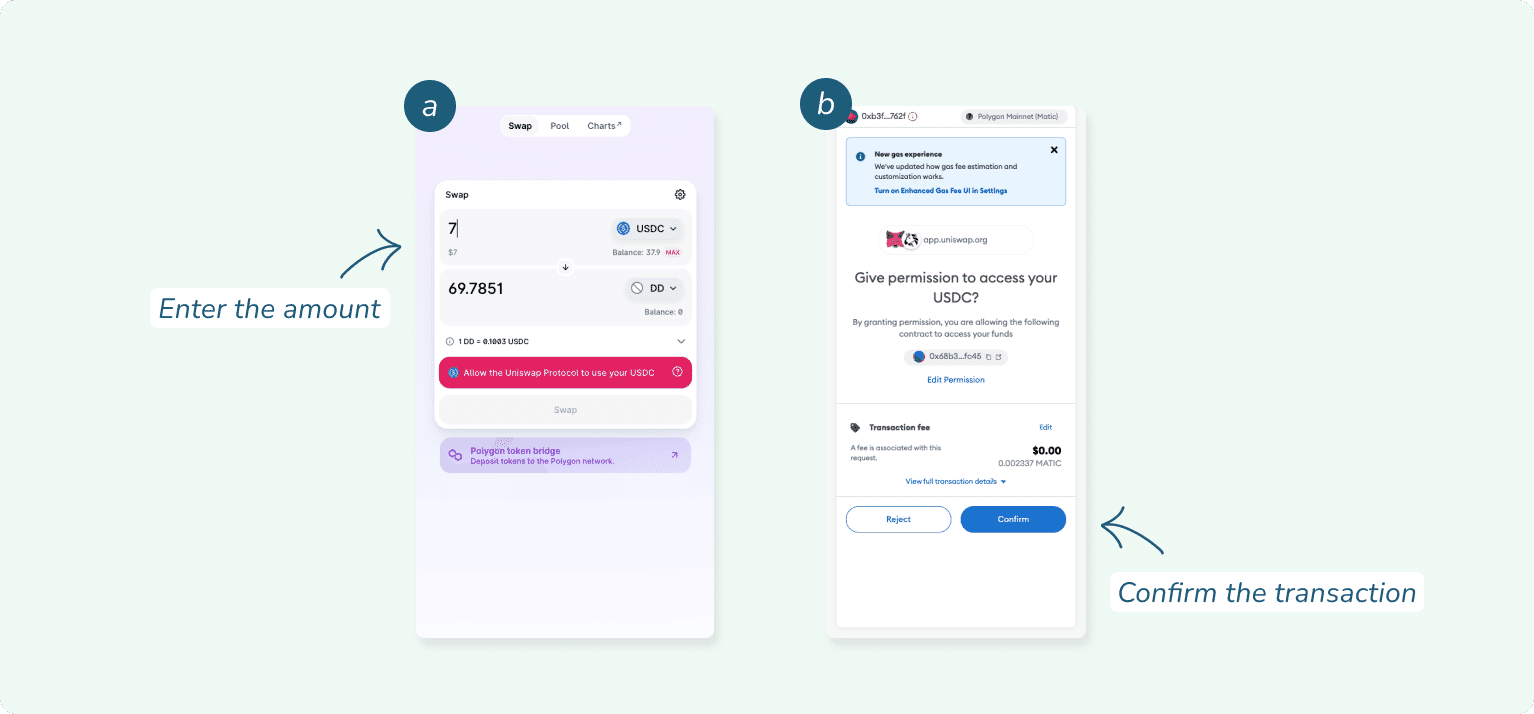
Review your swap. Then, press the 'Swap' button to view a preview of your swap. Confirm and approve swap transaction on Metamask wallet.
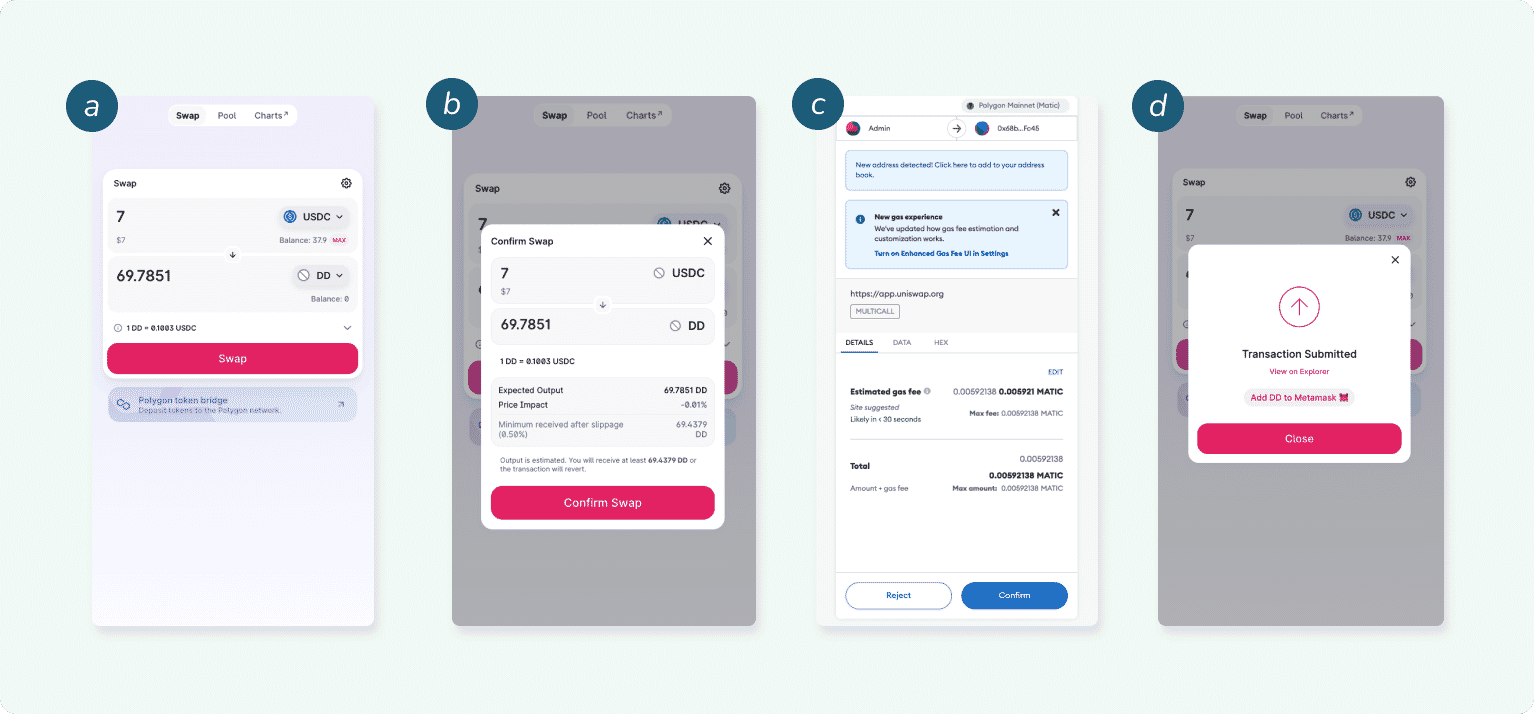
- Once it’s done, your tokens will appear in your ERC20 wallet.
Sushiswap
SushiSwap is a decentralized, community-owned, and community-run cryptocurrency exchange built on the Ethereum network. Follow these steps to add DD token on your wallet;
- Open https://app.sushi.com/en/swap and connect your Metamask wallet to Polygon mainnet.
Select the USDC as the token you wish to trade to DD.
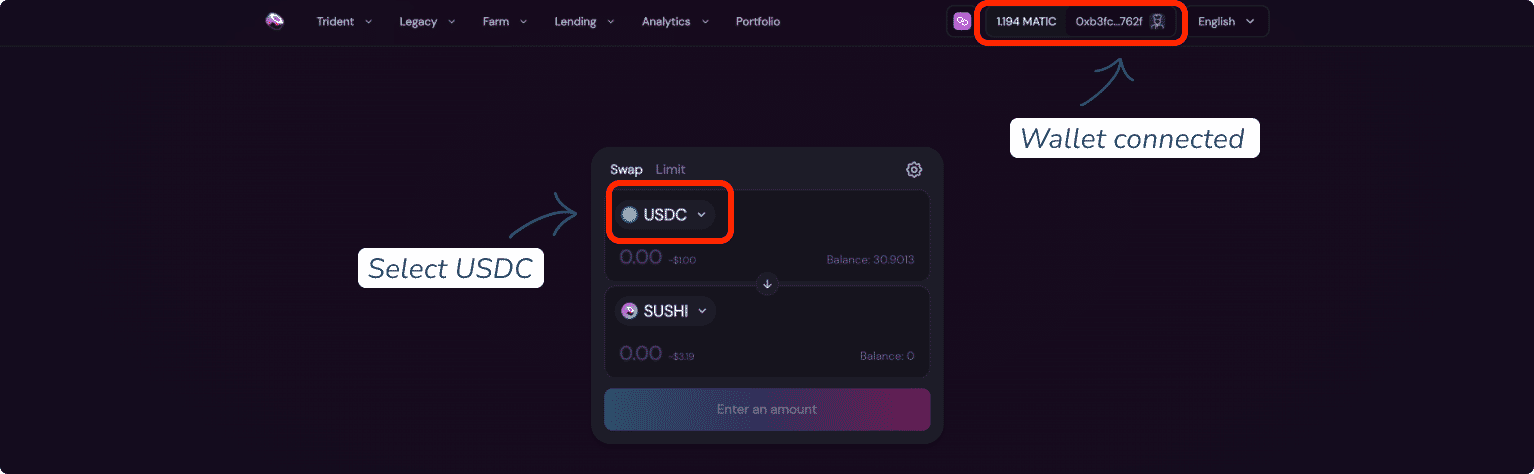
Import DD token manually as the token you wish to receive.
Paste the address:
0xa1261CC2D40c6533E7FC09FBE5aA1E70D45FBD5a
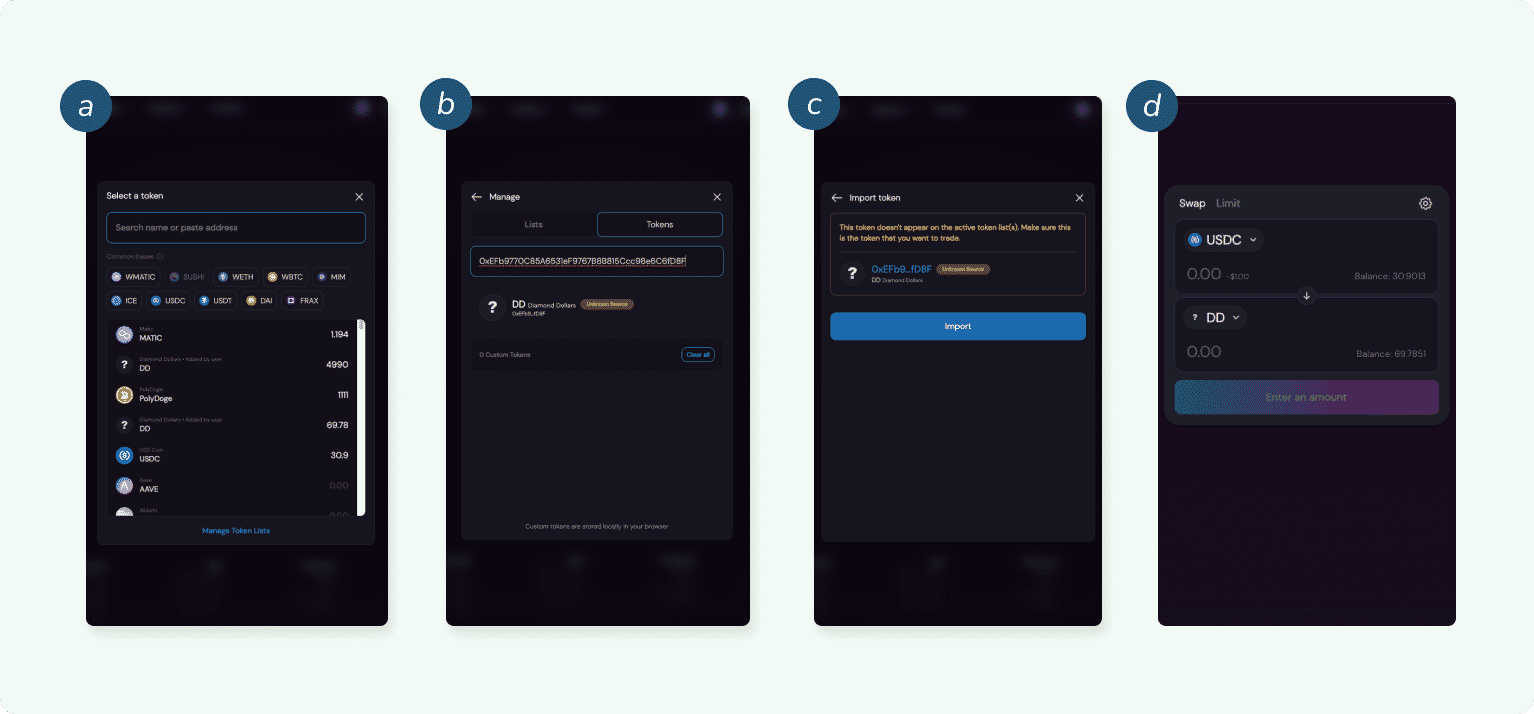
Next, enter the amount that you wish to trade. You can enter either your desired input amount or output amount. Then review the swap.
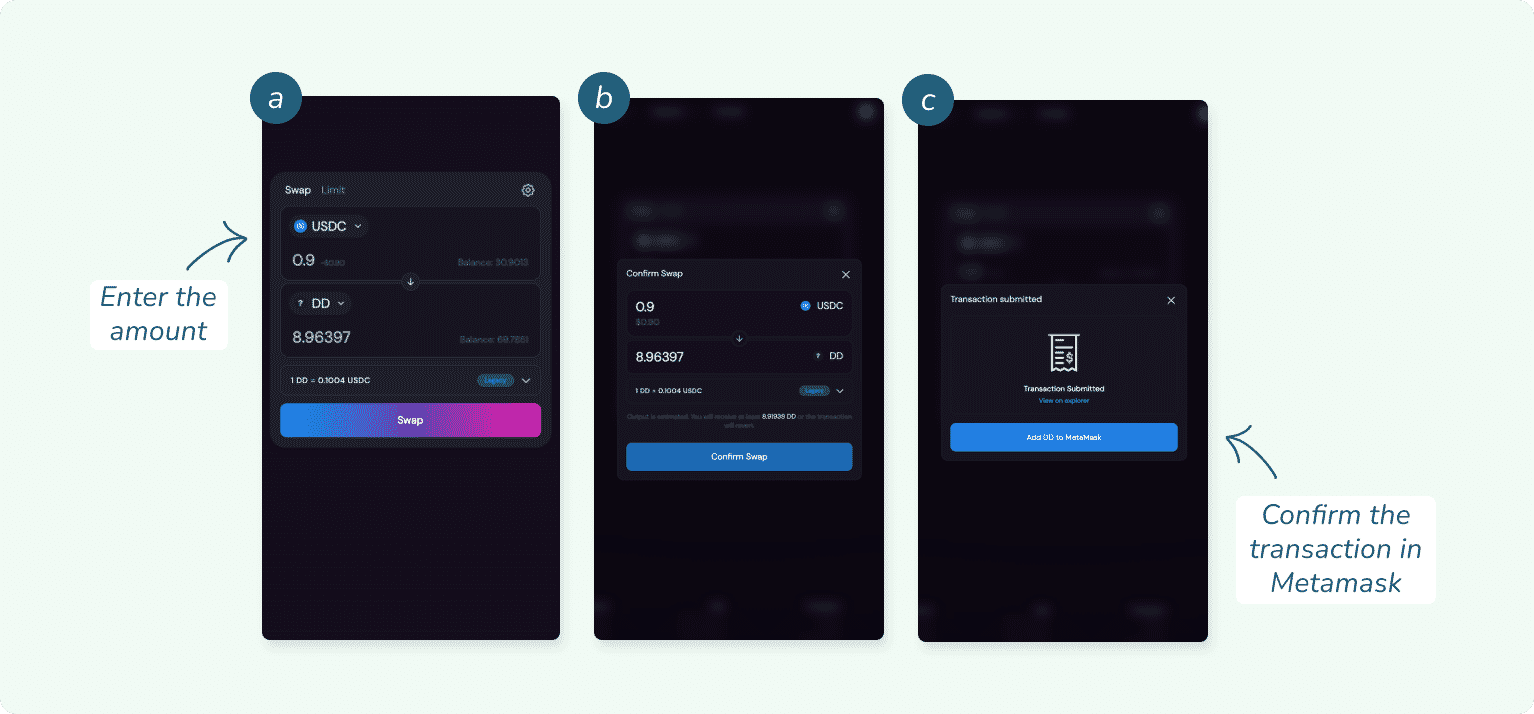
Confirm and approve swap transaction on Metamask wallet.
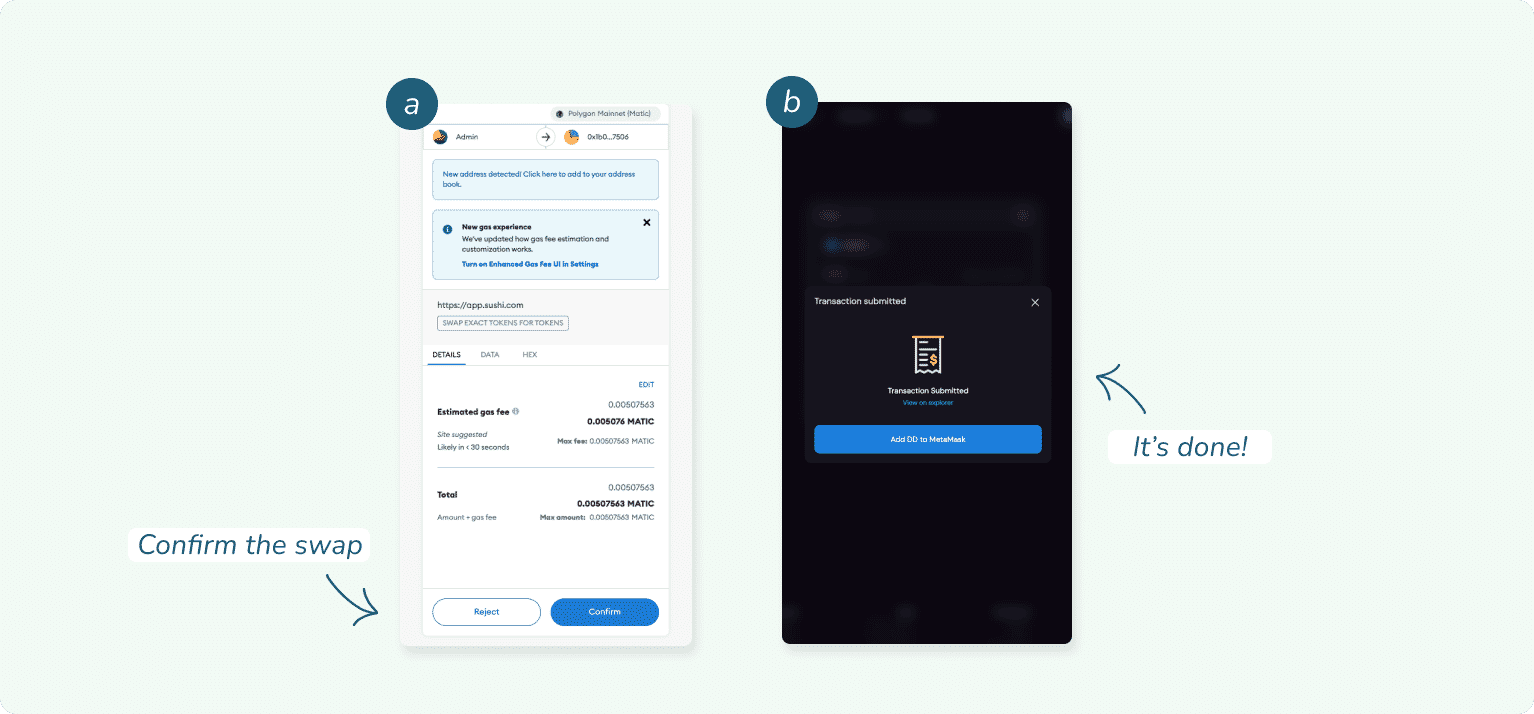
- Once it’s done, your tokens will appear in your ERC20 wallet.
About MATIC
What is MATIC
This a native token on Polygon that is used to pay fees for transactions taking place on apps running on Polygon network, including Diamond Hands. It means every transaction such as transferring token or trading NFT assets will require gas-fee to be completed (even though it's very little compared to Ethereum; $0.0005 - $0.002).
In our case, most of the blockchain transactions are actually paid by us via Relayer (re: user gas-less experience).
However, there are several cases in which users need to pay their own gas-fee, thus there's a need for them to top-up their own MATIC balance to:
- List an NFT Card on marketplace
- Buy an NFT Card from marketplace
- Swap DD to USDC via Sushiswap SDK
- Transfer USDC to external wallet (e.g. Metamask)
How to get MATIC (Polygon)
You can purchase MATIC (Polygon) token from off/on ramp provider like Moon Pay, Wyre, or Carbon with debit or credit card. Just simply put your Diamond Hands Wallet Address, you can copied it from My Profile.
Make sure that you are using the correct wallet address and choose MATIC (Polygon).
Right now, you can’t transfer your MATIC or top up the MATIC from Diamond Hands, but you can always do it on another provider.
Frequently Asked Questions
What is Diamond Hands?
Diamond Hands is the Rock Paper Scissors experience built on blockchain!
What do I need to play?
In order to play DiamondHands, you must own a Card NFT. Each of our NFTs comes with a rock, paper, and scissors card.
How can I get a Card NFT?
You can obtain Card NFTs via The Marketplace or Lootboxes (If they’re still available!)
How are my opponents determined
Once players choose their bets, our backend will find a match based on current level (max 2 level differences), current win ratio (max 5 differences), and current lose ratio (max 5 differences).
If there’s no opponent available after 10 seconds timeout, then we will prompt players to try again or cancel the match. If the matchmaking failed or players decided to cancel, escrow will send back the $DIH deducted from the betting phase.
Where can I find the Whitepaper?
Right here:
https://diamondhands-1.gitbook.io/diamondhands/
I need additional Help
If you're having any difficulty, please join our Discord server and post in the #new-player-help channel. Our community will be happy to help!
Any inquiries?
Our community will be happy to help and share. Join Discord